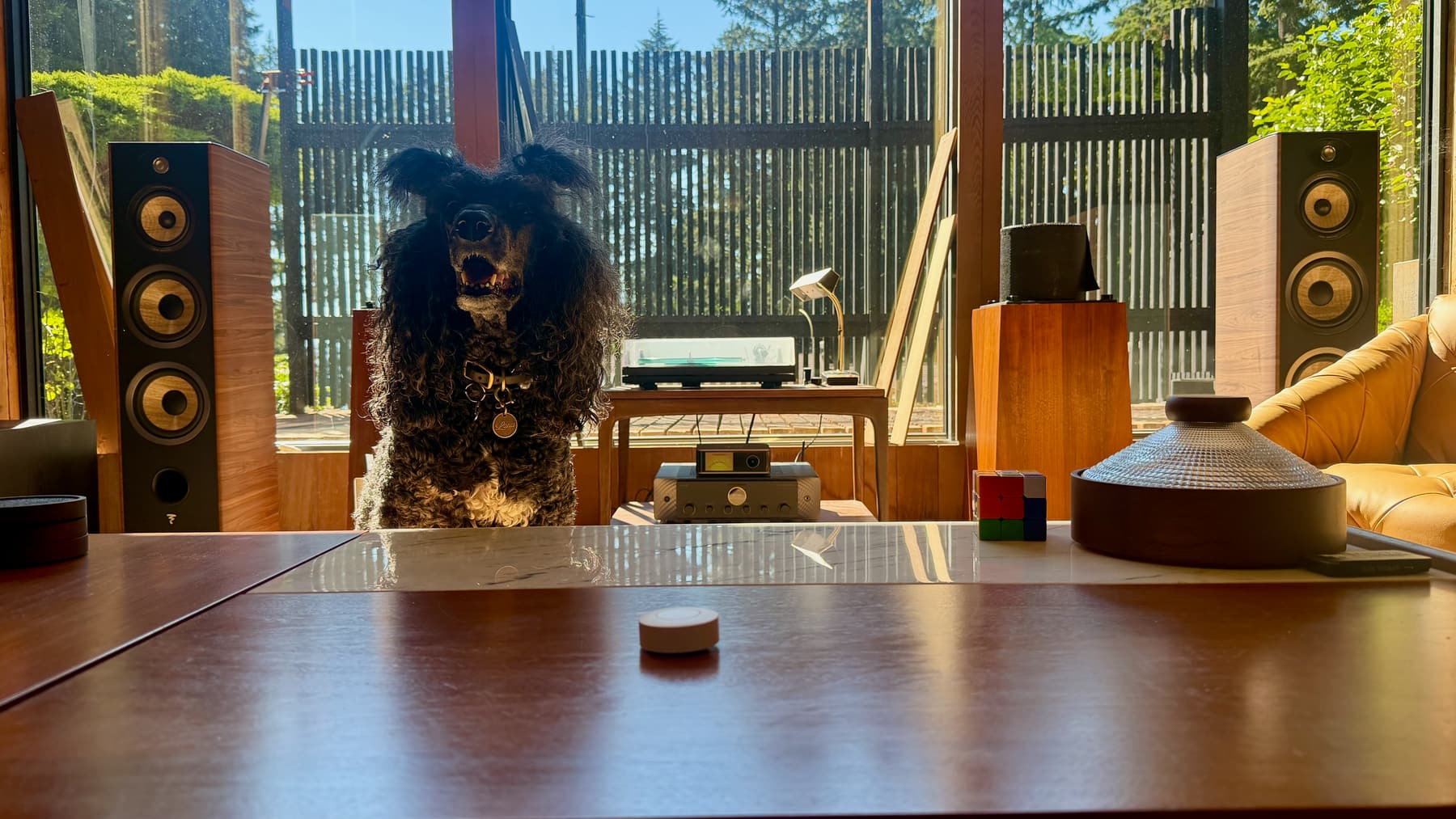
The focal point of our social living room is a hi-fi stereo: an amplifier, a network streamer, and a turntable, all feeding one pair of speakers. We use it a lot, but actually turning it on was its own small project every time. Wake the amp, switch the streamer’s input from phono (for the turntable) to network (for Spotify), pull up Spotify on my phone or ask Alexa, and pick something to play. None of that is hard, but it’s four separate steps across three different interfaces, and it meant guests never touched it themselves; they’d just ask us to put music on.
Now there’s one button on the coffee table. Press: Spotify starts, shuffled, on the right input, at the right volume. Press again: pause. Hold: everything shuts off and the amp drops back into standby. Anyone in the room can run it, which was the actual point, not just saving myself a few taps.
This took an evening, and almost none of it was the automation.
The hardware
All of this runs through Home Assistant, an open source hub for home automation: it talks to Zigbee devices, gadgets on the network, and cloud services like Spotify, then runs whatever logic you give it. Mine is self-hosted on a Raspberry Pi, with a Zigbee USB adapter plugged in so it can hear the button.
- Sonoff SNZB-01P: the button. Battery powered, reports short, double, and long press separately.
- Sonoff Zigbee 3.0 USB Dongle Plus: the Zigbee radio, plugged into the Raspberry Pi running Home Assistant.
- WiiM Ultra: the streamer. Takes Spotify over the network, has a phono input for the turntable, and sends audio out over optical.
- Marantz MODEL 40n: the amplifier, and the cause of all the trouble.
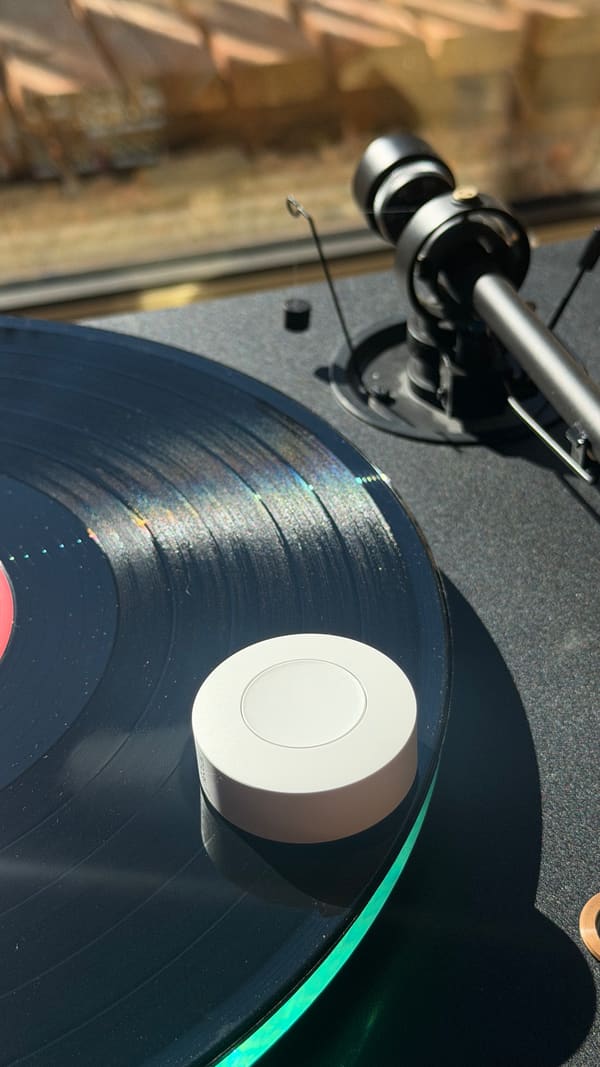
The chain is: Spotify to the WiiM over the network, WiiM to the Marantz over an optical cable, Marantz to the speakers. (If you’re curious what’s on the other end: Focal Aria 948.)
What it does now
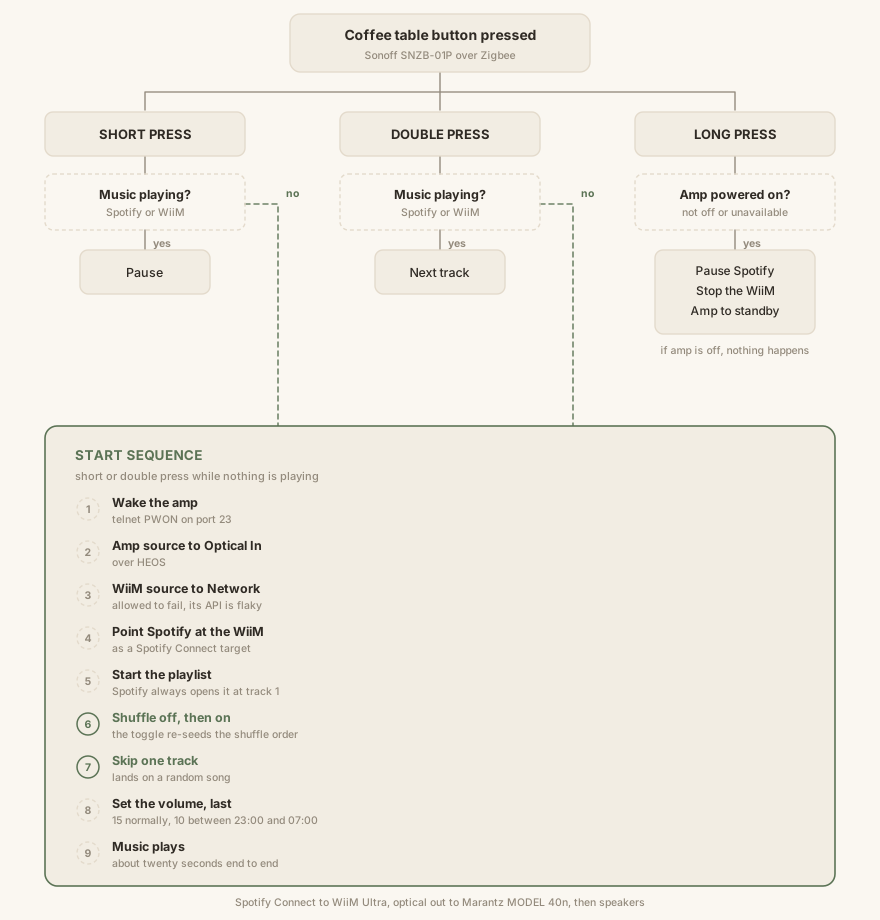
Starting volume depends on the time: 15 normally, 10 after 11pm. For scale on this amp: 5 is barely audible, 15 is dinner music, and 65 is loud enough to make out the lyrics from across the street through the glass wall.
The part that actually took the time
Powering the amp on and off. I assumed this was the trivial bit; it was the whole problem.
Home Assistant could see the Marantz, read what it was playing, change its input, set its volume. It could not turn it off. Meanwhile the HEOS app on my phone, same amp, same network, has a power button that works fine. Four options, in the order I tried them:
- The HEOS integration: dead end. I went through the full published HEOS command set (volume, play state, mute, shuffle, presets, queue, grouping, even reboot) and there is no power command. Not a Home Assistant gap; the protocol simply doesn’t have one.
- The Denon AVR integration: Home Assistant kept discovering the amp and offering to set it up, and it failed every time with “cannot connect,” even with the IP entered by hand. The manual explains it: the MODEL 40n is an integrated amplifier, not an AV receiver, and it doesn’t run the web control interface that integration needs. It just advertises itself in a way that looks compatible. Permanent false positive.
- HomeKit: AirPlay 2 devices usually expose a HomeKit power switch. This one wasn’t exposed.
- Telnet: the answer. Denon and Marantz gear has spoken a plain-text
control protocol on port 23 for about twenty years.
PWSTANDBYsleeps it,PWONwakes it. (There is noPWOFF. That cost a few minutes.)
That’s what the phone app does: HEOS for the music, the old Denon protocol for power. Home Assistant only speaks the first one.
The custom bit
Home Assistant has a built-in telnet switch, but it’s YAML-only:
switch:
  - platform: telnet
    switches:
      marantz_power:
        name: Marantz Power
        resource: 10.0.0.200
        port: 23
        command_on: PWON
        command_off: PWSTANDBY
        timeout: 2
One deliberate omission: command_state, which would poll the amp to ask if
it’s on. In standby the amp stays on the network and answers as if nothing
changed, and a state that lies is worse than none. The automation checks
whether music is playing instead.
Two bugs worth writing down
- The amp overwrote its own volume: send
PWON, wait four seconds, set the volume, and it kept ending up wrong. The amp restores its last-used volume as part of booting, which landed after my command. Fix: set the volume last, after playback starts. - Shuffle wasn’t shuffling: Spotify opens a playlist at track one no matter what, and the shuffle order stays fixed until something reshuffles it, so “start, skip one” gave track two every time. Fix: after starting the playlist, toggle shuffle off and back on. That re-seeds the order, and one skip lands somewhere random. Three test runs: Take Five, Smooth Operator, Come Away With Me.
On using an AI assistant for this
I built the entire thing with Claude, working in Cowork mode against a completely blank Home Assistant setup. My part was physical: unbox the button, pull the plastic tab out of the battery compartment, and tell Claude what I wanted it to do.
From there Claude drove the browser itself. It opened Home Assistant’s UI, put the Zigbee radio into pairing mode, and discovered the button. It found the Marantz amp and configured it through the HEOS integration. It walked me through authenticating my Spotify account against Home Assistant so the automation could control playback directly.
The best part of the whole project: Claude probed the amp over the network and turned up an old forum post mentioning that sending a power-on command over telnet to port 23 would actually wake a Marantz amp on the local network. That’s not something the amp’s Home Assistant integration knows how to do, and it isn’t documented anywhere obvious; it took digging through old owner forum posts to find. Small thing, and exactly the kind of discovery you don’t expect a piece of software to go make on its own.
The prompts that worked described the outcome, not the steps:
use chrome to access home assistant. I want a new automation that runs on trigger. when triggered it should turn on the marantz amp and play spotify on the wiim.
Set volume on amp to 15 before playing music. If music is already playing on the wiim and the button is clicked, pause. If music is playing and double click, skip to next song. if amp is on and button hold, turn off wiim and amp.
And the one that unblocked everything, where I supplied the one fact it couldn’t know:
holding the button only mutes the marantz amp. in the heos app i can turn it off (enter standby); we want to do the same with our automation for power saving and to ensure the amp remains cool when not in use
Was all this worth it?
Ohhhhh yeah.