
HA7Z is a downloadable Windows game on itch.io: 1-4 player co-op colony sim crossed with maze-based tower defense. Unity 6, P2P networking over Unity Relay, Claude Code.
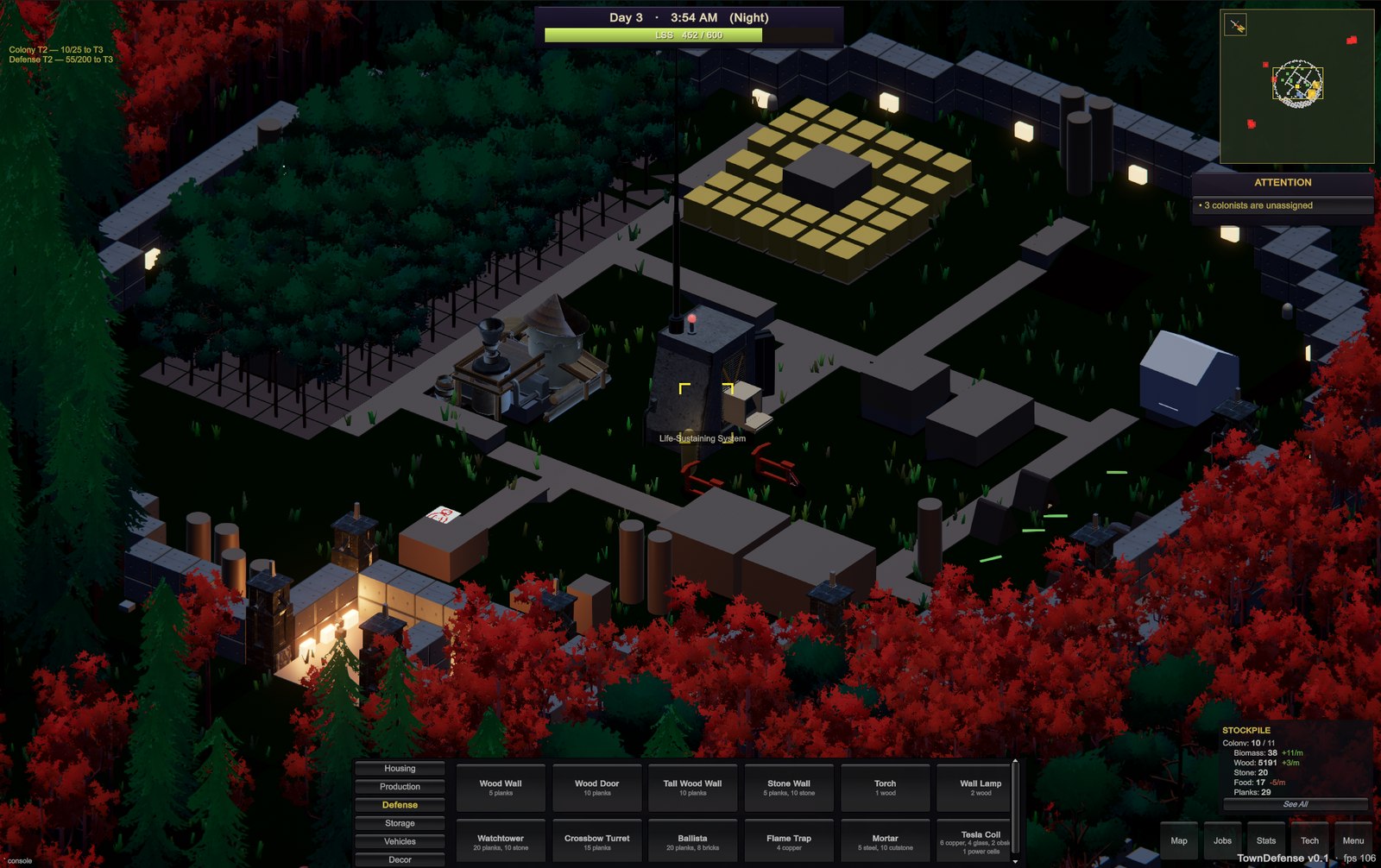
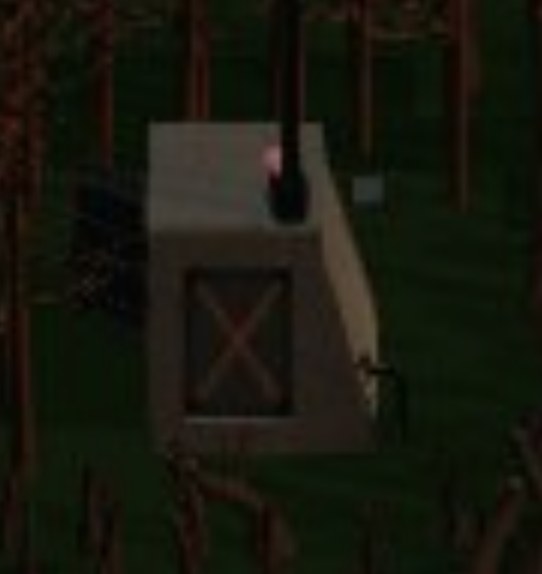 LSS: Life-Sustaining SystemAn advanced technology that sustains life in a surrounding dome on the surface, outside the bunker. at the center, walls and towers on the perimeter, production buildings and roads filling the space between, colonists gathering, producing, refining, and defending all at once.
What is this?
HA7Z mixes my wife’s favorite genre and mine: city building and tower defense. You and up to three other players grow a colony together, assigning colonists jobs, building production chains, and expanding your base by day, then defend that same base together by night against waves of enemies.
The defense half borrows from a niche tower-defense subgenre: instead of towers lining a fixed path, you build the path itself out of walls. The winning strategy is a maze, a long corridor of walls lined with turrets that forces every enemy to walk the gauntlet under fire before it can reach your base. Let an enemy reach it undefended, and it starts tearing the base down, lose the base entirely and it’s game over.
The game loop
Here’s one trip through the economy, start to finish:
- A Lumberjack chops down a tree and carries the logs to the Sawmill, which refines them into Planks.
- Another worker mines Stone from a Quarry.
- You spend 20 Planks and 10 Stone to build a basic tower.
- At night, enemies rush the base and get shot down by that tower.
- As the game goes on, stronger enemies show up that demand more advanced defenses, which demand more advanced materials and a more mature base to produce them.
Building it with Claude Code
The majority of this project was built with around 25 hours of Claude prompting, most of which happened passively between Overwatch matches. Some of this prompting was also done from my phone through Claude’s remote control.
The game logic lives in a headless C# assembly with zero dependency on Unity or the networking layer, which is what lets it run in plain NUnit rather than inside the editor, the same way it would run in a CI pipeline with no game engine installed at all:
Unity -batchmode -nographics -projectPath . \
      -runTests -testPlatform EditMode \
      -testResults TestResults.xml -logFile -
Close to 600 tests run against it in under a second. That speed is what made the whole workflow possible: Claude edits code, reruns the suite, sees exactly what broke, and fixes it, all in the time it takes a human to glance at a terminal.
That fast suite is only half the story. The other half is a proper Unity MCP server setup, and I’d call it the real powerhouse of this entire project. Once it was wired up correctly, Claude could edit C# files, trigger recompiles inside the actual editor, and read compiler and console errors directly, with no human alt-tabbing between an IDE and Unity to relay a stack trace back and forth by hand. Pair a sub-second test suite with an MCP that gives Claude real hands on the editor, and the loop closes entirely on its own: edit, compile, test, read the failure, fix it, repeat, for as many iterations as it takes. That’s the difference between “AI that writes code you review” and “AI that ships a working feature while you make coffee.” Once Claude Fable came out on top of that setup, whole features started landing in one shot.
I was running 3-6 Claude sessions at a time in separate git worktrees, as often as my token allotment allowed, one implementing a feature, one reviewing the last diff, one profiling performance. My bottleneck stopped being lines of code and became decisions.
The catch with one-shotting features on a higher-end model like Fable or Opus was token burn. A game has a lot of coupled moving parts, and fully understanding the wider system before touching one piece of it costs a lot of tokens fast, this project cost around $100 in usage altogether. I’d consistently max out a 5-hour usage limit in about 2 hours, set a timer on my phone for when it would reset, and come back to work when it went off. That turned out to be a good thing: without it, I’d have spent every non-working hour of the day at my desk instead of eating meals or going outside.
For world generation, I asked Claude to figure out how Factorio does it. It read through more than a dozen of Factorio’s “Friday Facts” developer blogs, including the one where they introduce the noise-expression system, and their API reference, wrote up a short memo on what to borrow and what to skip, then ported the technique to C#. What would have been a few weekends of my own reading and trial and error turned into an afternoon. More on what that research actually changed is below.
The best-preserved part of the whole exercise turned out to be the parts Claude couldn’t do, from a talk I gave on this project:
Claude can’t tell you what’s fun. What Claude built me was the average compilation of every game I described to it. Competent, coherent, missing the specific feeling I wanted a player to have. Only I know that feeling.
What’s in the game
The fiction: three thousand years after a war that poisoned the surface,
a bunker of survivors wakes up when something strikes their LSSLSS: Life-Sustaining SystemAn advanced technology that sustains life in a surrounding dome on the surface, outside the bunker., the
machine that both revives colonists from stasis and projects a field
that holds back the Haz, the irradiated dead zone outside it. Outside the
field the world is grey and lifeless, and the radiation twisted whatever
still lives out there into the Ravaged, who come for the LSSLSS: Life-Sustaining SystemAn advanced technology that sustains life in a surrounding dome on the surface, outside the bunker. at night.
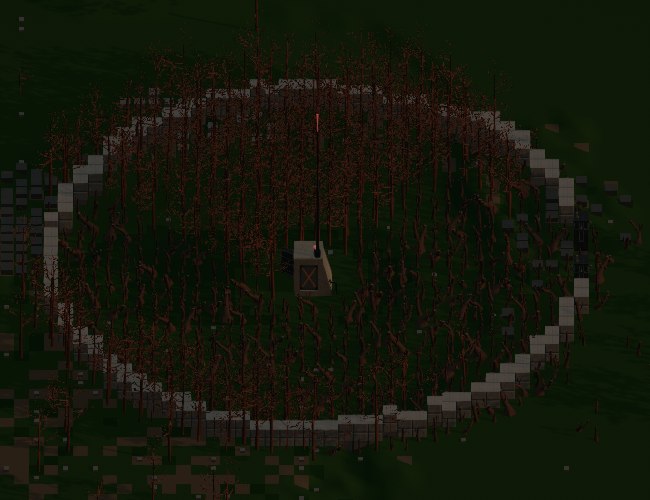 LSS: Life-Sustaining SystemAn advanced technology that sustains life in a surrounding dome on the surface, outside the bunker., walled in, seen from directly above.
By day, you build and expand the field. By night, the maze you built decides who gets through:
- World: seven biomes (grassland, desert, ice, and more) generated in large coherent regions, oceans and ponds with bridges and boats to cross them, a full day and night cycle with dynamic lighting.
- Economy: point-to-point logistics, chopping wood and mining stone and ore, refining it into planks, steel, glass, and more through buildings like the Sawmill and Smeltery, with colonists you assign as couriers hauling goods along routes you draw between buildings.
- Colonists: revive automatically from the LSSLSS: Life-Sustaining SystemAn advanced technology that sustains life in a surrounding dome on the surface, outside the bunker. on a timer, gated by
open beds and enough food in storage, no cost beyond that.
- Defense: wood and stone walls (including tall walls that stop wall-climbing enemies), watchtowers, crossbow turrets, ballistas, mortars with splash damage, and a Tesla coil that chains lightning between targets, all built to fit a maze you lay out yourself.
- Enemies: the Ravaged come in several flavors, fast and fragile,
slow tanks, wall-climbers, wall-huggers who chew through your maze
before turning toward the LSSLSS: Life-Sustaining SystemAn advanced technology that sustains life in a surrounding dome on the surface, outside the bunker., more added over time.
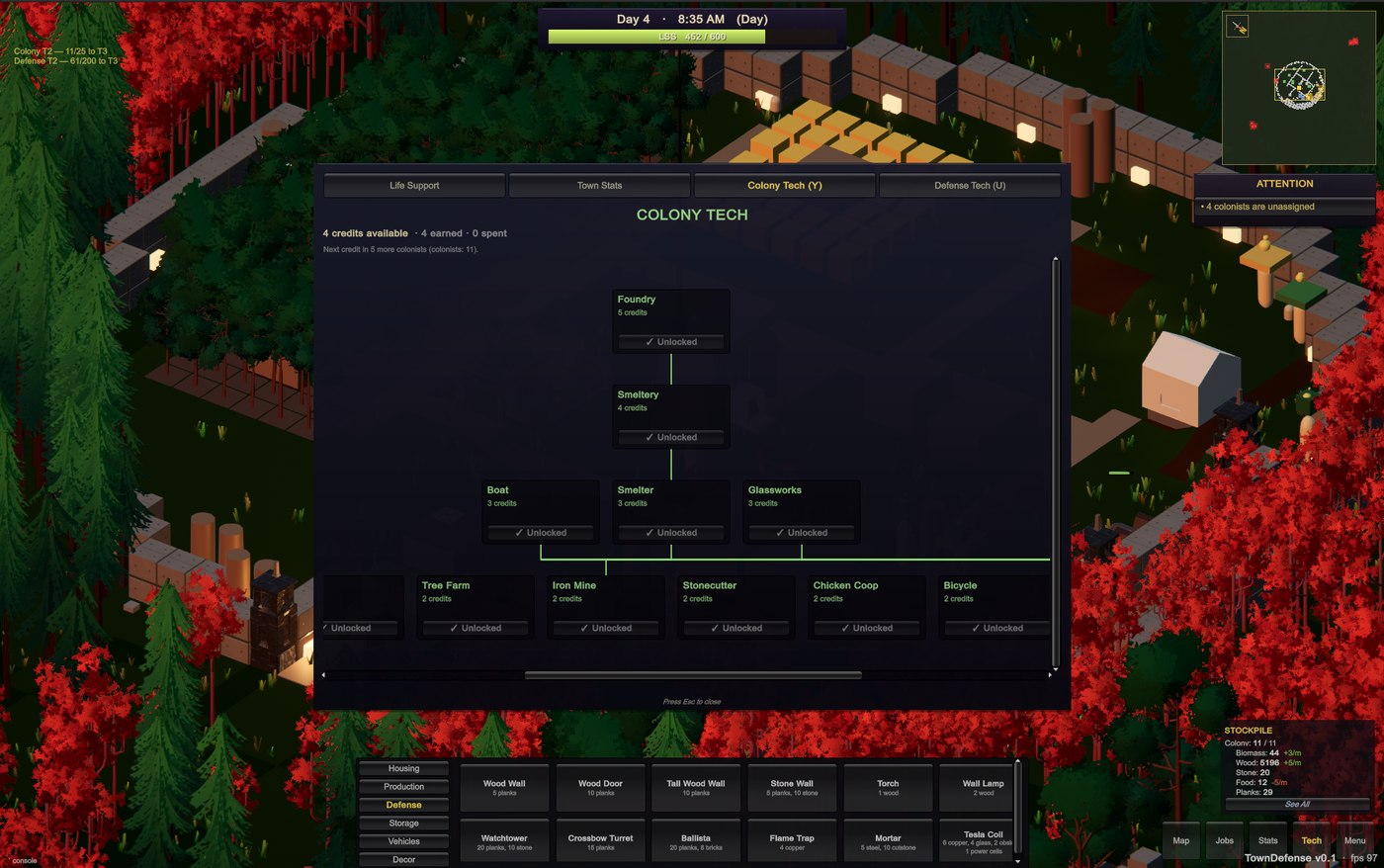
- Progression: two passive ladders instead of a tech tree, one keyed to colony population, one keyed to how many Ravaged you’ve killed, unlocking buildings and defenses as you grow rather than through research.
- Co-op: up to 4 players over Mirror networking, host-authoritative, each player’s avatar visible to the others in real time.
The systems that make it unique
None of this requires having played a tower defense game before. What follows is every system worth knowing about, grouped by what part of the game it belongs to.
World
Deterministic, seed-only generation
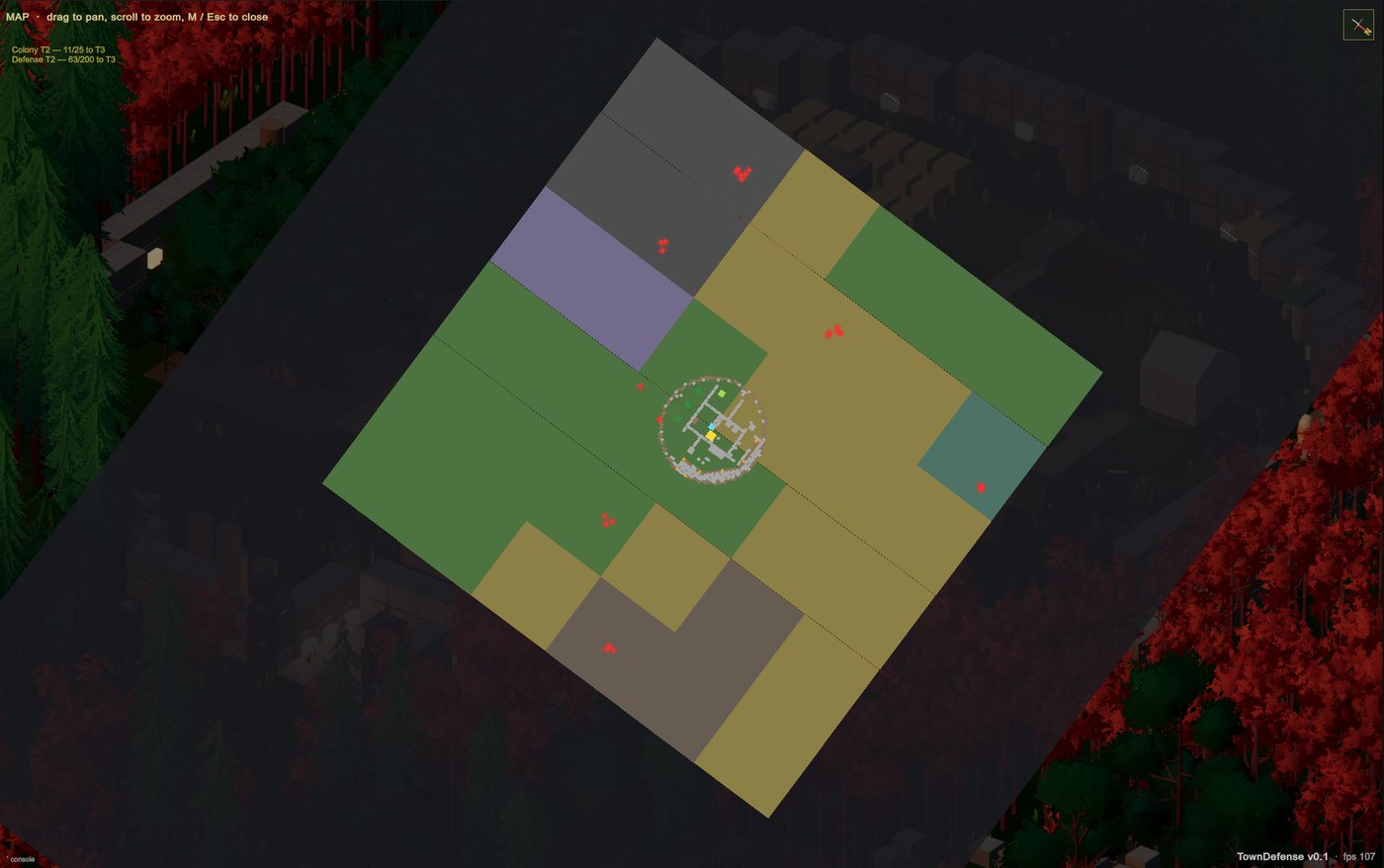
Every tile’s biome, height, and resources are a pure function of its coordinates and a single world seed number, nothing is stored. A seed is just a starting number fed into the generator; the same seed always produces the exact same world back out, the way a recipe always produces the same dish given the same ingredients. That’s also how two players on the same seed see an identical world without the game ever sending map data over the network, each client just regenerates it locally from the same starting number.
A seed is just a plain number:
int seed = 1247993482;Feed that number into the generator on two different computers and both produce the exact same world, tile for tile. Conceptually, the generator uses the seed to work out one physical property, elevation, at every coordinate, and everything else, like whether a tile is grass or water, falls out of that instead of being drawn by hand or stored in a big lookup table. A drastically simplified version of the idea:
// Illustrative, not the real function: the actual generator reads a
// continuous elevation field rather than a simple lookup like this.
string TileAt(int x, int y, int seed)
{
    float elevation = Noise(x, y, seed); // one consistent value per tile

    if (elevation < SeaLevel) return "water";
    if (elevation < SeaLevel + 2) return "sand";
    return "grass";
}
Change the seed and the whole map changes with it. Keep the same seed and the same coastlines, hills, and forests come back every time, which is also how two players on the same seed see an identical world without the game ever sending map data over the network.
Economy
Point-to-point logistics
The economy runs on supply routes you draw yourself rather than one
shared warehouse everything teleports into. Draw a line from a Sawmill
to the LSSLSS: Life-Sustaining SystemAn advanced technology that sustains life in a surrounding dome on the surface, outside the bunker. in the logistics overlay and a colonist automatically becomes
a courier, walking planks back and forth along it. A single building can
feed several routes at once, splitting its output 75/25 between the LSSLSS: Life-Sustaining SystemAn advanced technology that sustains life in a surrounding dome on the surface, outside the bunker.
and a Storehouse, say, which means the game has to decide, every time a
delivery is needed, which route gets it.
Straight randomness would drift unevenly over a short session, and strict alternation breaks the moment one destination is temporarily full. Instead, each route earns credit equal to its share of the split every time a delivery is needed, and whichever route has banked the most credit wins and pays its credit back, the same smooth weighted round-robin scheduling algorithm load balancers like Nginx use to spread traffic across backend servers, just applied to wheelbarrows instead of web requests:
int credit = (_wrrCredit.TryGetValue(key, out var c) ? c : 0) + w;
_wrrCredit[key] = credit;
if (credit > bestCredit) { bestCredit = credit; bestLink = _pickScratch[j]; }
// ...the winner pays its credit back:
_wrrCredit[chosenKey] -= totalWeight;
A 75/25 split reliably delivers three trips out of every four to the first destination, without ever needing a coin flip, and without ever starving the destination that’s briefly full while its neighbor catches up.
Back-pressure and the ”!” alert
Every producing building has a single-slot output buffer instead of an unlimited one. When that slot is already full of the same good, or full of a different one waiting to be hauled away, the building holds its current cycle at full progress instead of wasting it:
// Logistics back-pressure: output accumulates in a per-building buffer
// (drained by couriers), not a global pool. When that buffer can't take
// another cycle's yield, HOLD: don't consume inputs, don't advance, and
// park progress at full so the cycle fires the instant a courier frees
// space. Raising the flag is what puts the "!" over the building.
if (recipe.Outputs.Length > 0 && !OutputCanHold(b, recipe.Outputs))
{
    b.ProductionPaused = true;
    if (b.ProductionProgressSeconds > recipe.CycleSeconds)
        b.ProductionProgressSeconds = recipe.CycleSeconds;
    return;
}
A pulsing amber ”!” floats above any building in that state, the same signal on both host and client, since it’s derived from data everyone already has rather than a separate network message. A building that holds like this doesn’t lose the work its worker already did, the moment a courier clears the jam it picks up exactly where it left off.
Defense and combat
Maze tower defense, for the uninitiated
Most tower defense games hand you a fixed path: the enemy always walks
the same route from one side of the map to the other, and the whole game
is just deciding which towers to place alongside it. HA7Z doesn’t have a
drawn path at all. Enemies always take whatever is currently the
shortest walkable route to the LSSLSS: Life-Sustaining SystemAn advanced technology that sustains life in a surrounding dome on the surface, outside the bunker., so the “path” is just whatever’s
left over once you’ve turned some tiles into walls.
That one difference changes the whole genre. Build a wall in the wrong spot and you haven’t blocked anything, you’ve just handed the enemy a different, equally short way in. Build a long, deliberate corridor of walls with towers lining both sides, and every enemy that spawns has to walk the full length of it under fire before it ever reaches the machine it’s trying to kill.
Tower arsenal and biome elements
Every tower fires two damage instances per shot: a flat base amount that always lands in full, plus a bonus amount typed by whichever biome the tower is standing in when it’s built, and only the bonus is affected by a monster’s resistances:
private bool ApplyShotTo(TypedHandle<Monster> target,
                          int baseDamage, int bonusDamage,
                          DamageType biomeElement)
{
    bool died = false;
    if (baseDamage > 0)
        died = _sim.Monsters.ApplyDamage(target, baseDamage);
    if (!died && bonusDamage > 0)
        died = _sim.Monsters.ApplyBonusDamage(target, bonusDamage, biomeElement);
    return died;
}
The base hit is guaranteed damage no monster can shrug off; the bonus hit is the interesting part, its element comes from the ground the tower is built on, so the same Watchtower design hits differently depending on whether you built it in the ice fields or the glass wastes.
Enemies built to break mazes
Not every Ravaged just walks to the LSSLSS: Life-Sustaining SystemAn advanced technology that sustains life in a surrounding dome on the surface, outside the bunker. and stops at the first wall.
Some, tagged to prefer walls, specifically target the nearest reachable
wall instead, but only once the maze has actually sealed them out:
if ((stats.tag & ThreatTag.PrefersWalls) != 0
    && !IsVatReachableViaField(sim, monster, from))
{
    if (TryPickNearestReachableWall(sim, monster, from, path, out var wallHandle))
    {
        targetHandle = wallHandle;
        return true;
    }
}
Others climb short walls outright and only tall walls stop them, and a couple of the toughest simply phase through low walls entirely. A maze that only accounts for the easy enemies falls apart the first night one of these shows up.
The wave director
Ravaged spawn on a timer that shifts with the day and night cycle: a slow trickle by day, roughly one every 25 seconds, and a much tighter cadence at night, starting around one every 6 seconds and tightening by about 10% per day survived down to a floor of 1.5 seconds. Which enemy types show up also shifts over time, starting with the simplest and mixing in tougher ones as the nights add up.
AI and pathfinding
The shared pathfinder
Every enemy, and every colonist walking to a job, is really just asking the same question over and over: what’s the shortest walkable route from here to there? That question gets answered by a breadth-first search, a simple, well-known algorithm that spreads outward one tile at a time, like ripples in a pond, until it bumps into the destination. A wall works because a wall tile is simply marked as not walkable, so the search never spreads through it and has to go the long way around instead. Trimmed to the part that matters:
for (int i = 0; i < 4; i++)
{
    var next = new TileCoord(cur.X + DX[i], cur.Y + DY[i]);
    if (came.ContainsKey(next)) continue;

    bool isTarget = next.Equals(target);
    if (!isTarget && !IsWalkable(sim, next, kind)) continue;

    came[next] = cur;
    queue.Enqueue(next);
}
Nothing about the maze is special-cased into the enemy AI. A monster doesn’t “see” a maze and get confused by it, it just keeps expanding its search outward, tile by tile, until the only unblocked route left traces the long way around whatever you built.
That search running constantly, for every colonist and every enemy, is also where the project’s worst performance bug lived. Around five colonists on the map, the editor would freeze solid. A profiler trace handed to Claude turned up the cause: an AI state that fell into 2,400 of these searches a second, each one allocating a fresh dictionary and queue with no reuse at all. The fix was to stop allocating anything, and to put a hard ceiling on how many times a single colonist could re-search in one game tick:
// Allocated once, cleared and reused on every search instead of
// a fresh Dictionary + Queue every time a colonist replans.
private static readonly Dictionary<TileCoord, TileCoord> _scratchCame
    = new Dictionary<TileCoord, TileCoord>(2048);
private static readonly Queue<TileCoord> _scratchQueue
    = new Queue<TileCoord>(1024);

// A stuck colonist can burn at most 4 searches per tick instead
// of spinning until the frame budget is gone.
const int MaxIterations = 4;
Citizen utility AI
Each colonist picks its own activity every tick from a priority list: critical fatigue forces sleep first, an assigned job comes next, autonomous gathering after that, and idle only when nothing else applies. Nothing needs a manager assigning tasks minute to minute, the priority list handles it on its own.
Auto-assigning idle colonists
There’s no hiring screen. Once a second, the game walks every building
that needs staff and pulls colonists out of the idle pool to fill it,
production workers first, then couriers for anything with an outgoing
logistics route. Condensed to the shape of the real pass (the actual
code inlines the roster counts rather than calling out to
CountAssigned/CountCouriers):
// Phase 2: staff production buildings (Farms, Sawmills, etc.) from idle.
foreach (var (bHandle, b) in Buildings.All)
{
    var job = CitizenJobInfo.JobForBuilding(b.TypeId);
    if (job == CitizenJob.None) continue;

    int needed = BuildingStats.For(b.TypeId).Recipe?.WorkersRequired ?? 0;
    int have = CountAssigned(bHandle, job);
    while (have < needed)
    {
        if (!TryFindFirstIdle(out _, out var idle)) return;
        idle.Job = job;
        idle.Work = bHandle;
        have++;
    }
}

// Phase 3: staff couriers for anything with an outgoing logistics route.
foreach (var (bHandle, b) in Buildings.All)
{
    if (!Logistics.HasAnyLinkFrom(bHandle)) continue;
    int needed = BuildingStats.CourierCountFor(b.TypeId);
    int have = CountCouriers(bHandle);
    while (have < needed)
    {
        if (!TryFindFirstIdle(out _, out var idle)) return;
        idle.Job = CitizenJob.Courier;
        idle.Work = bHandle;
        have++;
    }
}
A newly revived colonist with nothing assigned is exactly as likely to end up farming as hauling wood between two buildings, whichever vacancy the pass reaches first. Delete a building mid-game and its workers don’t get stuck: they’re released back to idle on the very next pass and picked up wherever the colony needs them next, no dead colonists standing around a hole in the ground.
Multiplayer and technical architecture
Host-authoritative snapshots
The host runs the real simulation; every client is a view into it. Citizens, buildings, monsters, and resources all replicate to connected players 30 times a second, so co-op partners see the same colony update in near real time without ever running their own copy of the sim logic.
One snapshot, two jobs
A single snapshot format covers both multiplayer sync and disk saves. Add a new field to the sim and, in one change, it starts replicating to every connected client and starts surviving a save and reload, instead of needing separate plumbing for each.
Try it
HA7Z is free to download and play right now: bossanovagames33.itch.io/haz. Grab three friends, or just wander the colony solo.