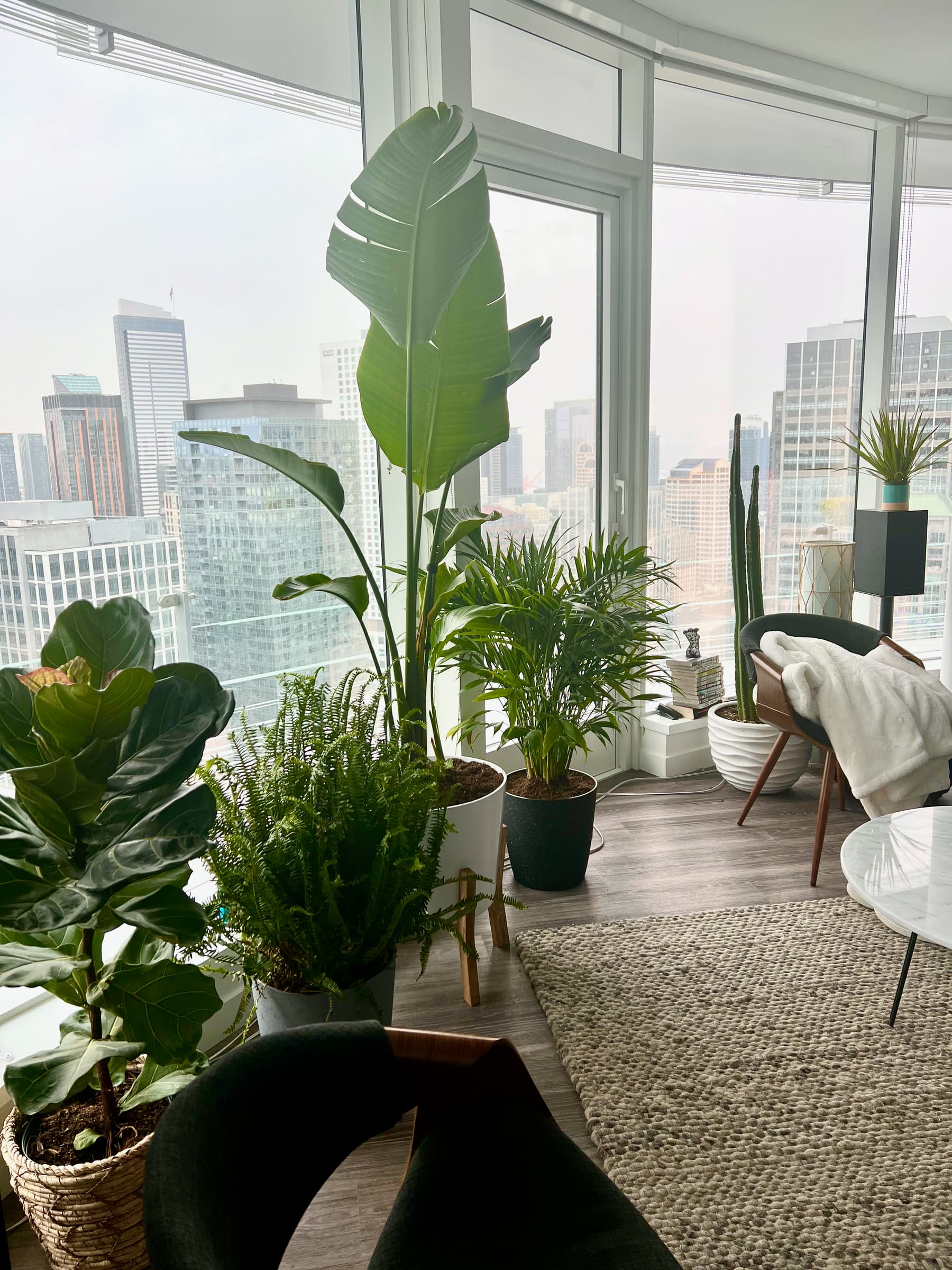
TL;DR: my plants kept drying out because I didn’t have the patience to check them by hand every day, so I built this. I don’t use it anymore. I check them by hand every day now instead, because it turned out to be a relaxing, purposeful pause in the day, tending our growing collection.
The hardware
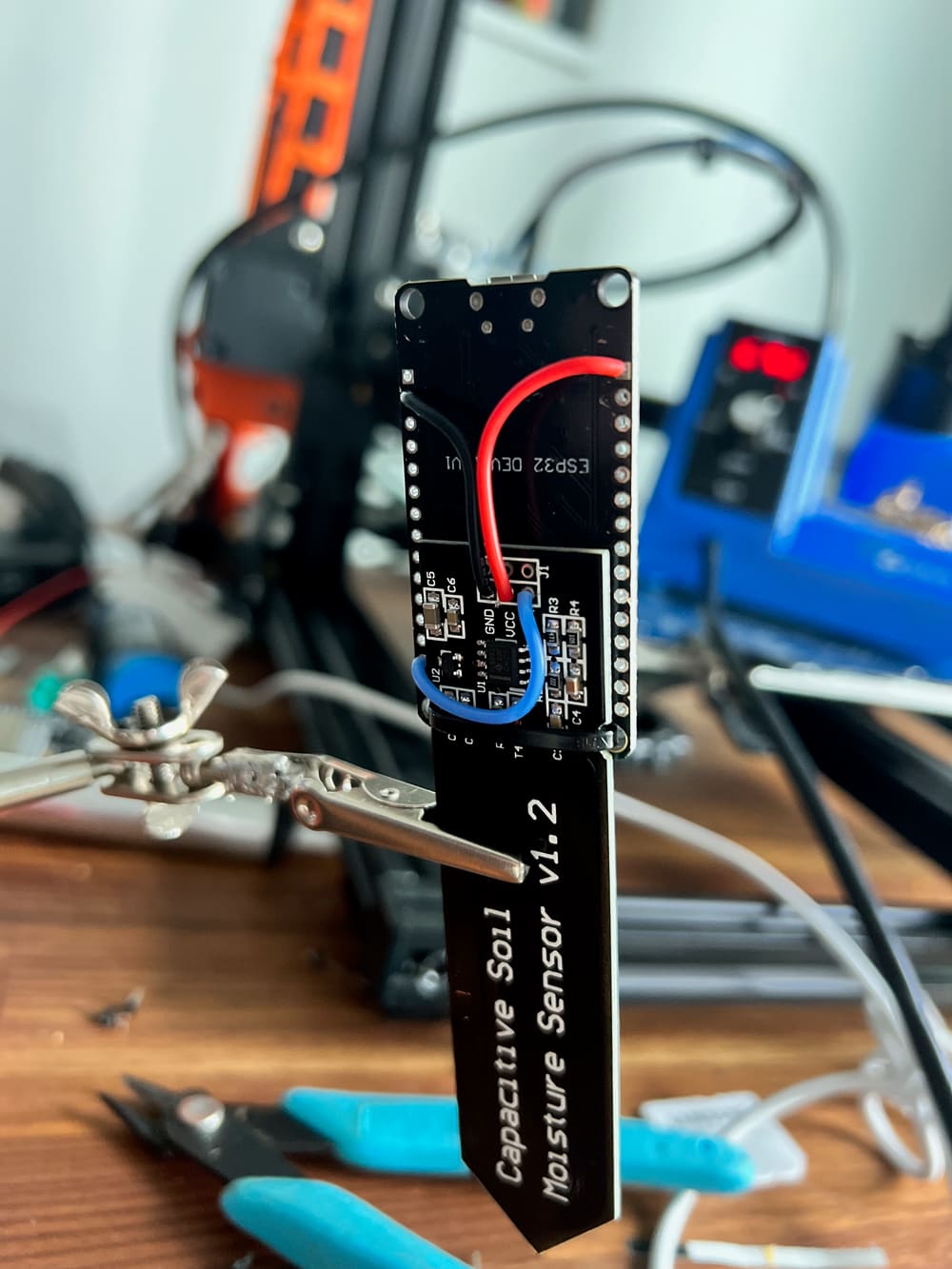
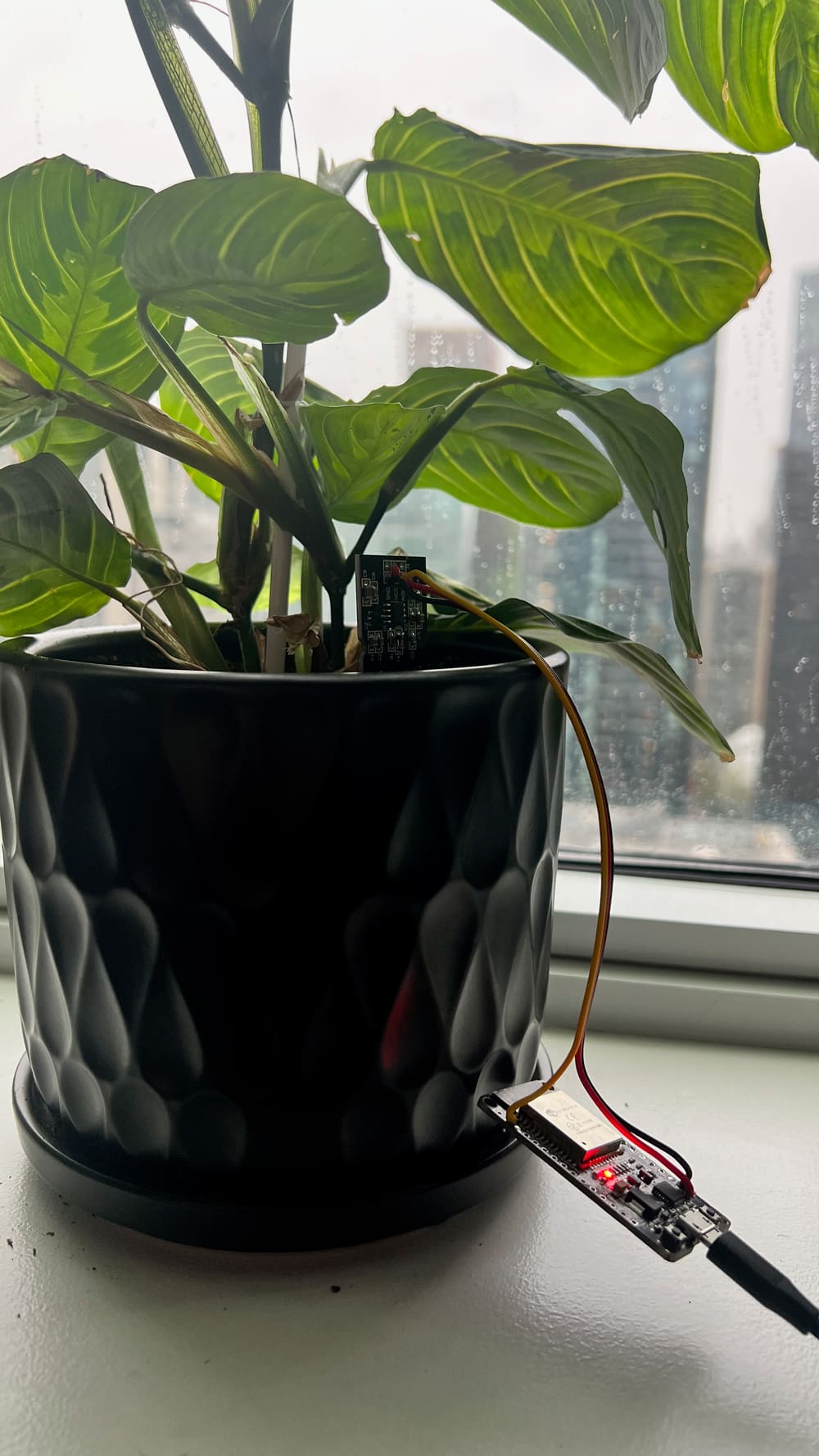
Each plant gets an ESP32, a cheap wifi microcontroller, wired to a capacitive soil moisture sensor sitting in the pot. The board reads the sensor, publishes the value over wifi, and goes back to sleep. That’s the whole device.
Capacitive sensors matter here rather than the cheaper resistive kind. A resistive probe passes current through the soil to measure it, which corrodes the probe and slowly ruins the reading. A capacitive one measures through a sealed surface with nothing exposed, so it holds calibration instead of degrading in the pot over months.
Getting it into Home Assistant
The boards run ESPHome, which is the piece that makes this practical rather than a science project. You write a short YAML config describing the sensor, flash it once, and the device shows up in Home Assistant as an entity with no further wiring, no broker to configure, and no app from whoever made the sensor. Add another plant, copy the config, change the name.
From Home Assistant’s side each plant is just a number that updates on its own, which means everything else the hub can already do (dashboards, history, notifications, automations) applies to it for free.
The dashboard
Every plant in the house on one screen, with its current moisture level and the trend behind it. The history graph turned out to be the more useful half: a single reading tells you whether a plant is dry right now, but the curve tells you how fast that particular pot loses water, which is what actually lets you predict it. Some plants drop steadily over a week. Others fall off a cliff two days after watering.
The alerts
An automation watches each plant’s moisture and notifies me when it drops below that plant’s threshold. Per-plant, because “dry” isn’t one number: different species and different soil mixes want different things, and a succulent sitting at a level that would be an emergency for a fern is completely fine.
The result is that watering stopped being a chore anyone has to remember. The house tells us which plant needs attention, and only that plant.
More detail and photos to come.
Part of the broader Home Assistant setup.